How to Compare Prices Effectively Online: Smart Strategies to Save More on Every Purchase
Shopping online gives you many choices. Prices can vary more than you expect.
If you want the best deal, you need a clear plan and the right tools.

To compare prices effectively online, check the same product across multiple trusted sites, review total costs like shipping and taxes, and use comparison tools to see price differences side by side.
Small details, such as model numbers and return policies, can change the real value of a deal.
When you compare with care, you avoid overpaying and make confident choices.
A few extra minutes of research can protect your budget and help you buy with certainty.
Key Takeaways
- Compare the exact same product across several trusted websites before you buy.
- Look at total cost, including shipping, taxes, and return policies.
- Use price comparison tools and filters to make fast, clear decisions.
Essential Strategies and Tools for Online Price Comparison
You improve online price comparison when you use reliable tools. Track price changes and review every cost before you buy.
Smart use of alerts, coupons, and shipping details helps you find the best price without wasting time.
Choosing the Right Price Comparison Websites and Apps
Start with trusted price comparison websites and price comparison apps that update product listings often.
Large platforms like Google Shopping, PriceGrabber, or ShopSavvy pull data from many retailers, which helps you compare product prices side by side.
Check how the site sorts results. Some tools rank by sponsored listings first, not by the best deals.
Change the filter to sort by lowest price, customer rating, or total cost.
Look at product details closely. Make sure the model number, size, and features match across listings.
Small differences can explain large price gaps.
Use browser extensions when possible. A good browser extension shows price comparisons directly on the product page, which saves time during online shopping.
Leveraging Price Tracking and Alerts for Smart Shopping
Use price tracking tools to track prices over time instead of buying right away.
Many price comparison tools show price history charts that reveal patterns and frequent price drops.
If a product often goes on sale, wait. Set up price alerts or price drop alerts so you receive a message when the price falls to your target.
Some tools also offer deal alerts for categories, not just single products.
This works well during major sales periods like Black Friday or back-to-school events.
Applying Coupon Codes, Promo Codes, and Cashback Features
Before you check out, search for coupon codes and promo codes.
Many price comparison apps and browser extensions apply codes automatically at checkout.
Test more than one code if possible. Some give a percentage discount, while others offer free shipping or a fixed dollar amount off.
Look for cashback or cash back options through shopping portals.
These programs return a small percentage of your purchase, which helps you maximise savings over time.
Combine discounts when allowed. For example, use a sale price plus a promo code and cashback.
Always confirm that the final total reflects every discount before you pay.
Comparing Total Costs, Shipping, and Additional Savings
Do not focus only on the listed item price. Compare the total cost, including shipping costs, taxes, and service fees.
Some retailers offer a lower item price but charge high shipping. Others provide free shipping above a minimum order amount.
Check both options carefully.
Review delivery speed and return policies as well. A slightly higher price may save money if it includes free returns.
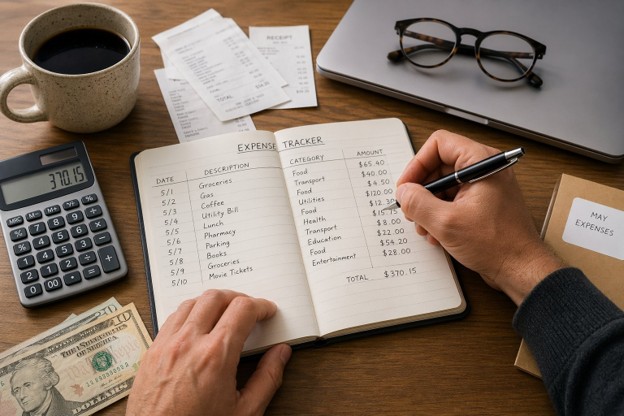
When you compare prices, write down the full breakdown:
- Item price
- Shipping costs
- Taxes
- Discounts and cashback
- Final total
Top Platforms and Features for Informed Shopping Decisions
You can compare prices faster when you use trusted platforms and built-in tracking tools.
Focus on sites that show clear price history, detailed specs, and real customer reviews so you can make informed purchasing decisions.
Overview of Leading Price Comparison Sites and Extensions
You can start with broad platforms like Google Shopping, Shopzilla, PriceGrabber, Shopping.com, and PriceRunner.
These sites list prices from many retailers in one place. You can sort by price, seller rating, shipping cost, and availability.
Yahoo! Shopping, ShopMania, Become, and Bizrate also show product listings with filters for brand, features, and price range.
Use these filters to narrow your options fast.
Browser extensions like Capital One Shopping, Price.com, and PricePirates apply coupon codes and compare prices while you browse.
They alert you if another store offers a lower price.
Deal-focused platforms such as Slickdeals and BuyVia highlight limited-time discounts.
For travel deals, check Hopper, Expedia, and Skyscanner to compare flight and hotel rates and track price drops.
Look for these key price comparison features:
- Clear total cost (item + shipping + tax)
- Seller ratings and return policies
- Price drop alerts
- Side-by-side product comparisons
Utilizing Barcode Scanners and In-Store Comparison Solutions
You can compare prices in a physical store by using a barcode scanner app.
Apps like ShopSavvy, BuyVia, and Flipp let you scan a barcode with your phone camera.
When you scan a barcode, the app searches online retailers and shows current prices.
You can see if another store nearby offers a lower price.
This helps you request a price match at checkout.
Many large retailers match competitor prices if you show proof on your phone.
Flipp also shows weekly ads from local stores.
You can compare sale prices before you visit.
Follow this simple process in-store:
- Scan barcode.
- Compare listed prices and shipping times.
- Check stock availability.
- Ask for a price match if allowed.
This method prevents impulse buying and keeps your spending under control.
Understanding Price History Charts and Product Trends
Price history tools help you track price fluctuations over time. They show whether a current price is high, average, or discounted.
For Amazon products, use CamelCamelCamel, Keepa, or another Amazon price tracker.
These tools display Amazon price history in clear line charts.
You can set alerts to track prices and receive emails when prices drop.
This works well for electronics, appliances, and seasonal goods.
Look at patterns in price history charts:
- Regular holiday discounts
- Sudden short-term spikes
- Long-term downward trends
Avoid buying during price spikes. If the chart shows frequent discounts, wait.
For travel, Hopper and Skyscanner track price trends for flights.
They suggest whether you should book now or wait.
Evaluating Reviews, Specifications, and Best Value
Low price does not always mean best value.
Compare product specifications, product ratings, and customer reviews before you buy.
Check:
- Screen size, storage, or material quality
- Included accessories
- Warranty length
- Return policy
Read both positive and negative product reviews.
Focus on repeated complaints about defects or poor service.
Compare similar models side by side.
A slightly higher price may include a longer warranty or better features.
Use star ratings as a guide.
Read written feedback for details.
Verified purchase reviews often provide more reliable insight.